With Diggle’s powerful new AI features, you can now start creating with just one click.
Whether you’re building, editing, or designing content, our latest AI upgrade is here to help you move faster, work smarter, and make your ideas shine—without the heavy lifting.
A smarter AI chat
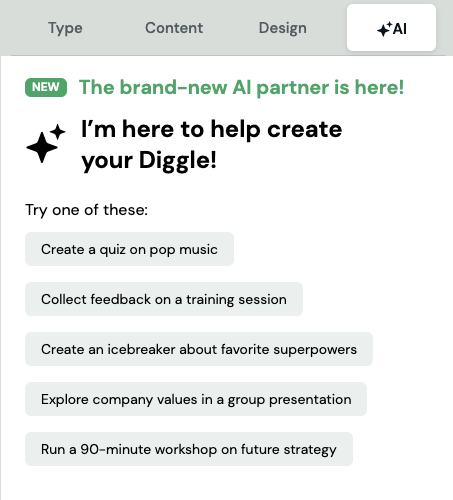
The new AI chat is your new creative partner. It can help you:
Create and refine content
Add or remove slides
Adjust settings
Change your design
…and so much more! You’ll find it ready to assist you anytime under the AI tab.
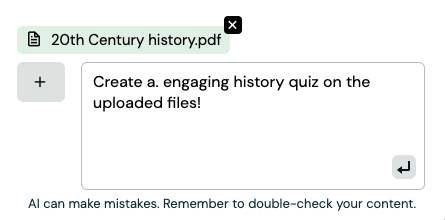
Want to take it up a notch? Pro users can now upload documents directly into the chat. The AI will transform the files into a tailored Diggle you can start working from instantly.
Smarter Content, Right Where You Need It
We didn’t stop at chat—AI is now built directly into your editing flow.
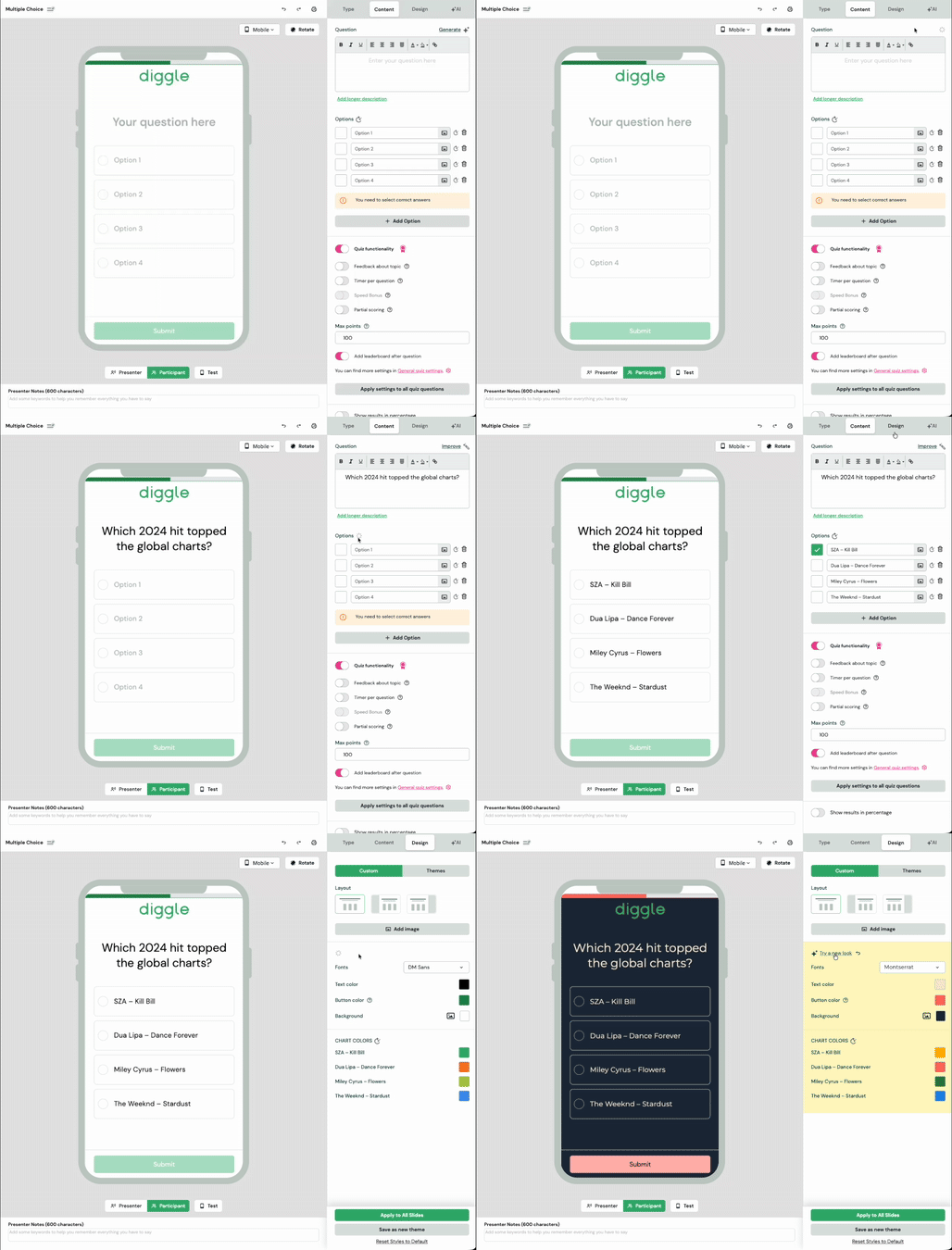
Right from the Content tab, you can:
Generate new question text
Improve existing content
Get auto-filled suggestions tailored to your Diggle’s topic
Struggling with multiple-choice options? Let AI do the heavy lifting—generate or regenerate answers individually or all at once.
AI-Powered Design Help
Ready for a visual refresh? Head over to the Design tab and click “Try a new look.”
The AI will suggest color palettes and fonts that perfectly match your content’s tone and style.